

Your website may look fine on the surface — but behind the scenes, small maintenance errors can quietly destroy performance.
Many businesses assume that once a WordPress site is launched, it will continue working smoothly on its own. Unfortunately, that mindset leads to serious WordPress website maintenance mistakes that impact speed, security, and search rankings.
Performance issues rarely happen overnight. They build slowly through neglect, outdated software, bloated plugins, and missed updates.
Let’s break down the most common WordPress maintenance mistakes that hurt performance — and how to avoid them.
Why WordPress Website Maintenance Is Critical for Performance
The Link Between Maintenance and Site Speed
Your website speed is directly tied to how well it is maintained.
Without consistent WordPress website maintenance, plugins become outdated, databases grow cluttered, images remain unoptimized, and server load increases. Over time, this leads to noticeable WordPress site speed issues.
Even a one-second delay in load time can reduce conversions and increase bounce rates. Regular maintenance keeps your site optimized and responsive.
How Poor Maintenance Impacts SEO and User Experience
Search engines reward fast, secure, and reliable websites. When WordPress performance issues appear — such as slow loading pages or broken functionality — rankings often drop.
Visitors also expect a seamless experience. If pages lag, forms malfunction, or content fails to load properly, users leave. Poor WordPress optimization affects both SEO and user satisfaction.
Why Small Issues Turn Into Major Performance Problems
One outdated plugin may seem harmless. A few unused themes may not feel urgent. But minor neglect accumulates.
Without proper website performance monitoring, small inefficiencies compound into serious problems:
- Increased server strain
- Conflicting scripts
- Broken functionality
- Security vulnerabilities
That is why consistent WordPress website maintenance is not optional — it is foundational.
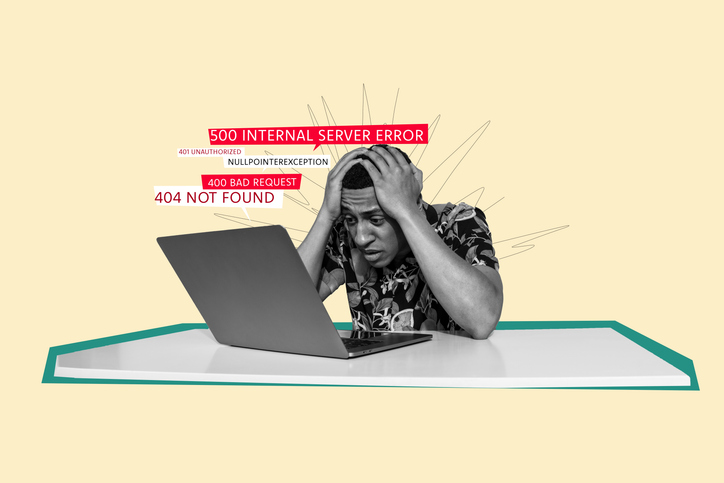
Most Common WordPress Maintenance Mistakes
Ignoring WordPress Core, Plugin, and Theme Updates
One of the biggest WordPress maintenance mistakes is delaying updates.
Outdated WordPress core files, plugins, and themes can lead to:
- Slower load times
- Security vulnerabilities
- Compatibility conflicts
- Layout errors
Updates include performance enhancements and security patches. Skipping them increases risk significantly. Proper WordPress security and updates are essential for stability.
Using Too Many or Poorly Optimized Plugins
Plugins add functionality — but excess plugins add problems.
Too many active plugins increase server load and cause conflicts. Some plugins are poorly coded and create unnecessary database calls, which harm WordPress site speed.
Effective plugin and theme management involves:
- Removing unused plugins
- Replacing bloated tools with lighter alternatives
- Testing compatibility before updates
This prevents performance bottlenecks.
Not Optimising Images and Media Files
Large image files are a silent performance killer.
When businesses upload high-resolution images without compression, page load time increases dramatically. Mobile users feel this impact most.
Without consistent WordPress optimisation, uncompressed media slows pages and damages user experience.
Simple image compression and next-generation formats dramatically improve speed.
Skipping Regular Backups and Performance Monitoring
Some site owners only discover problems after their site goes down.
Without regular backups and website performance monitoring, issues go unnoticed until:
- Traffic drops
- Pages crash
- Downtime occurs
- Security breaches happen
Backups protect against catastrophic loss. Monitoring detects problems early.
Skipping these steps is one of the most expensive WordPress maintenance mistakes.
Failing to Clean Databases and Remove Unused Files
Over time, WordPress databases collect clutter:
- Old revisions
- Spam comments
- Expired transients
- Unused media files
This clutter slows database queries and reduces responsiveness.
Routine database cleanups are a key part of effective WordPress website maintenance and long-term performance stability.
How These Maintenance Mistakes Affect Business Websites
Slower Load Times and Higher Bounce Rates
When pages load slowly, visitors leave. High bounce rates signal poor performance to search engines.
Slow sites lose trust, credibility, and conversions.
Reduced Search Engine Rankings
Google measures site performance and experience. Poor speed, broken links, and inconsistent updates negatively affect rankings.
Without structured WordPress website maintenance, SEO gains are difficult to sustain.
Increased Risk of Downtime and Security Breaches
Outdated plugins and neglected monitoring increase vulnerability to attacks.
Security incidents not only harm data but also damage brand reputation.
Consistent WordPress security and updates dramatically reduce this risk.
How Professional WordPress Website Maintenance Prevents These Issues
Ongoing Performance Optimisation and Monitoring
Professional website maintenance services provide continuous tracking of:
- Page load speeds
- Server performance
- Broken links
- Uptime
Proactive adjustments prevent WordPress performance issues before they escalate.
Secure Updates and Plugin Management
Experts test updates in safe environments before applying them live. This reduces the risk of site-breaking conflicts.
Strong plugin and theme management ensures compatibility and stability.
Regular Backups and Speed Improvements
Routine backups create security and recovery protection. Speed improvements maintain performance across devices.
Professional WordPress website maintenance combines monitoring, optimization, and prevention into one structured plan.
Key Benefits of Proper WordPress Website Maintenance
When done correctly, maintenance delivers measurable improvements:
- Faster page load times and improved site speed
- Better SEO performance and search visibility
- Improved user experience and engagement
- Reduced security risks and downtime
- Long-term website stability and scalability
These benefits protect your digital investment and support business growth.

Final Thoughts
Many performance problems are self-inflicted. Most WordPress maintenance mistakes are preventable with consistent oversight and structured processes.
Your website represents your brand 24/7. Slow speeds, broken features, and security risks undermine that presence.
Regular WordPress website maintenance ensures your site remains fast, secure, and reliable — protecting both performance and reputation.
Avoid costly WordPress maintenance mistakes.
Get expert WordPress website maintenance support to keep your site fast, secure, and high-performing — contact us today for a free consultation.
